

Listing your property online should not be complicated or expensive. With ClubProperty.com, property owners can upload their properties easily and promote them on a platform that is free of charge, with no commissions and no hidden listing fees. If you are a property owner and want to know how to add your listing, this guide walks you through the process step by step.
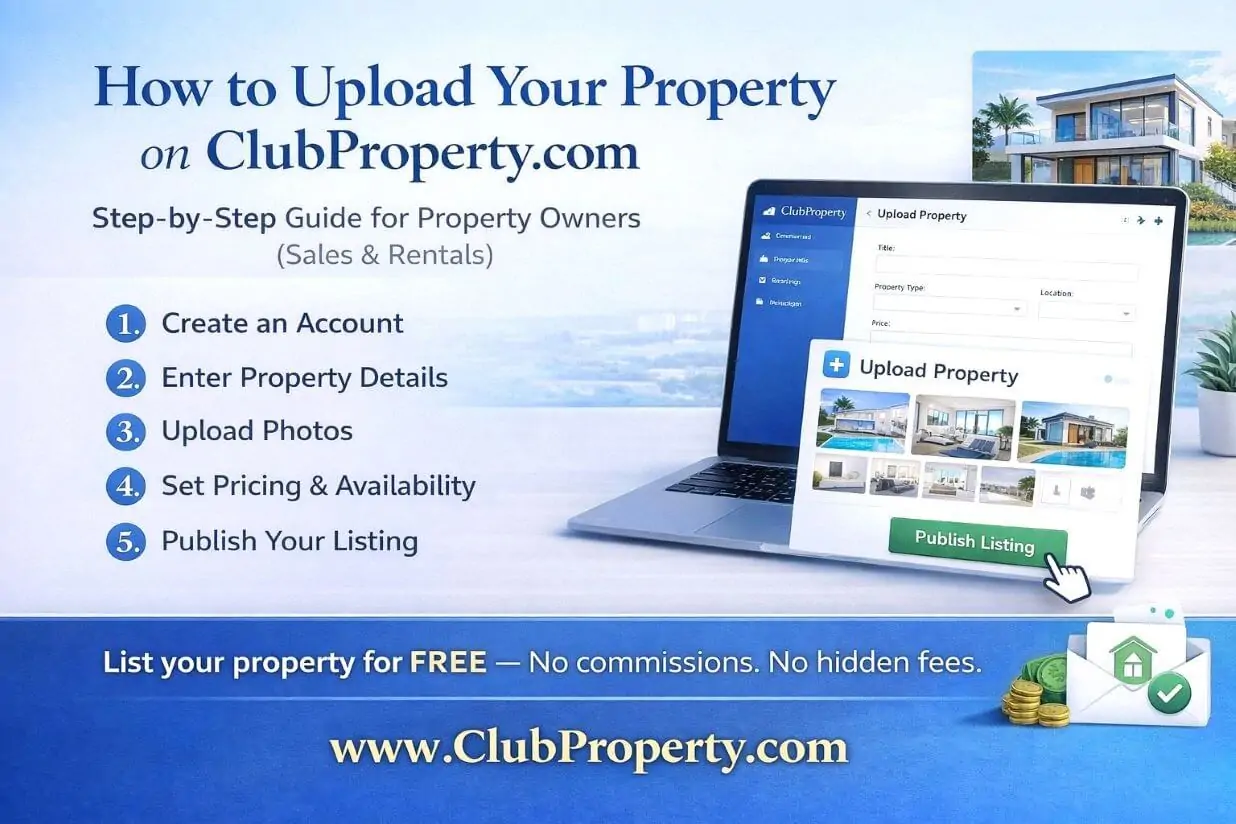
Why List Your Property on ClubProperty.com?
Many property platforms charge high commissions, subscription fees, or hidden costs just to publish or manage listings. ClubProperty.com offers a different approach.
With ClubProperty, property owners can:
-
Upload properties for free
-
Avoid high platform commissions
-
Reach potential buyers, renters, or investors
-
Manage listings in one place
-
Showcase their properties professionally
This makes it a strong alternative for owners who want a free property listing platform without unnecessary costs.
Step 1: Go to ClubProperty.com
Start by visiting ClubProperty.com from your browser.
On the homepage, look for the option to sign in, register, or access your account dashboard. This is where the property upload process begins.
Step 2: Create an Account or Log In
To upload a property, you first need to access your account.
If you are a new user:
-
Create an account with your details
If you already have an account:
-
Log in with your email and password
Having an account allows you to manage your listings, update property information, and track activity from one dashboard.
Step 3: Go to the Property Upload Section
Once logged in, navigate to the section where you can add a new property.
This may appear under options such as:
-
Add Property
-
Upload Property
-
Create Listing
-
New Property
This section is designed for property owners who want to publish a new listing on the platform.
Step 4: Enter the Property Details
Now it is time to fill in the property information.
Add as much detail as possible to make your listing more attractive and informative. This may include:
-
Property type
-
Location
-
Price
-
Number of bedrooms and bathrooms
-
Property size
-
Description
-
Features and amenities
A complete and well-written listing helps your property stand out and improves visibility for people searching online.
Step 5: Write a Strong Property Description
Your property description is one of the most important parts of the listing.
Make sure it clearly explains:
-
What makes the property attractive
-
Its key selling points
-
The type of buyer or renter it suits
-
Important features such as garden, terrace, parking, sea view, city center location, or investment potential
Try to write naturally while including search-friendly phrases such as:
-
apartment for sale
-
villa for rent
-
investment property
-
holiday home
-
property in [location]
This can help improve the SEO value of your listing.
Step 6: Upload High-Quality Photos
Photos play a major role in attracting interest.
Upload clear, professional-looking images that show the property at its best. Include:
-
Exterior view
-
Living areas
-
Bedrooms
-
Bathrooms
-
Kitchen
-
Balcony, garden, pool, or other special features
High-quality visuals can significantly improve engagement and increase the chances of receiving inquiries.
Step 7: Add Pricing and Availability Information
Enter the relevant price details for the property.
Depending on the type of listing, this may include:
-
Sale price
-
Rental price
-
Nightly or weekly booking rates
-
Availability dates
Make sure the pricing is accurate and the availability is updated to avoid confusion.
Set Availability and Price in the Calendar
After uploading your property details and publishing the listing, the next important step is to configure the Calendar settings.
The calendar allows property owners to define when the property is available and set the price for specific dates.
To do this:
-
Go to your dashboard.
-
Open the Calendar page for your property.
-
Select the dates when the property will be available.
-
Set the price for the selected dates.
-
Save the changes to update the calendar.
This step ensures that users can see accurate availability and pricing when they want to book the property.
Updating the calendar regularly helps avoid double bookings and keeps your listing reliable for potential renters or buyers.
Why the Calendar Setup Is Important
Setting availability and pricing in the calendar allows property owners to:
-
Control when the property can be booked
-
Adjust pricing depending on season or demand
-
Prevent booking conflicts
-
Provide clear information to users
A properly configured calendar improves the booking experience for both property owners and guests.
Tip for Property Owners
It is recommended to update your calendar frequently if your property availability changes. Keeping the calendar accurate helps maintain trust with users and increases the chances of successful bookings.
Step 8: Review the Listing Carefully
Before publishing, review everything you entered.
Check:
-
Spelling and grammar
-
Property details
-
Price
-
Photos
-
Contact information
A polished listing looks more trustworthy and professional.
Step 9: Publish Your Property
Once everything is complete, click the publish or submit button to make your property live on ClubProperty.com.
After publishing, your property will be visible to users browsing the platform.
Step 10: Manage and Update Your Listing
After your property is live, it is important to keep it updated.
You may want to:
-
Edit the description
-
Add better photos
-
Change the price
-
Update availability
-
Mark the property as sold or rented
Keeping your listing fresh helps improve performance and keeps your property relevant.
Tips for Property Owners to Get Better Results
To improve your listing performance on ClubProperty.com:
-
Use a clear and attractive property title
-
Upload bright, high-quality photos
-
Write a detailed and honest description
-
Include all key features
-
Keep pricing and availability updated
The better your listing looks, the more likely it is to attract serious interest.
Final Thoughts
Uploading your property on ClubProperty.com is a simple and cost-effective way to promote your real estate online.
For property owners who are tired of expensive platforms, high commissions, and hidden fees, ClubProperty offers a more accessible solution. You can create a professional listing, reach potential clients, and manage your property online — all free of charge.
If you are looking for a free property listing website for owners, ClubProperty.com is a smart place to start.