


Real estate marketing has changed dramatically. Buyers may see a property while driving through a neighbourhood, walking past an estate agent’s office, looking at a property brochure, attending an open house or even seeing a “For Sale” sign from the road. The challenge is turning that moment of interest into action.
This is where QR codes for real estate can make a difference.
A QR code gives a potential buyer an instant bridge between the physical world and the digital property experience. Instead of remembering a phone number, typing a long website address or searching for a property later, a buyer can scan a code with their smartphone and immediately access information about the property, the agent or the next step.
For real estate agents, QR codes can be used for much more than simply linking to a property listing. They can help showcase properties, generate leads, arrange viewings, share virtual tours, promote open houses, collect enquiries, distribute brochures and connect potential clients directly with an agent.
For agents using ClubProperty, QR codes can become another practical tool for connecting their offline marketing with their online real estate presence.


What Is a QR Code in Real Estate?
A QR code, or Quick Response code, is a square digital code that can be scanned using a smartphone camera. The scan can open a website, property listing, contact page, booking page, form, virtual tour or another digital destination.
In real estate, the important point is not the QR code itself.
The value comes from what happens after the scan.
For example, imagine someone is walking past a property with a “For Sale” sign. They are interested, but the estate agent isn’t there. Traditionally, the person might have to remember the agency name, write down a telephone number or search for the property online later.
A QR code can reduce that friction.
The person scans the code and immediately sees the property online.
They can look at photographs, check the asking price, see property specifications, view additional information and potentially contact the agent or request a viewing.
The QR code effectively turns a physical property advertisement into an interactive digital experience.
That is why QR codes are particularly relevant to real estate.
Why QR Codes Are Useful for Real Estate Agents
Real estate is unusual because agents market properties in both physical and digital environments.
A property can be advertised online, but it can also be promoted through:
- For Sale signs
- For Rent signs
- Window displays
- Property brochures
- Flyers
- Business cards
- Postcards
- Open-house signage
- Newspaper advertisements
- Magazine advertisements
- Vehicle advertising
- Office displays
- Development boards
- Property information sheets
These physical marketing materials have limited space.
A brochure might contain several photographs and some important details, but it cannot provide the complete digital experience available online.
A property sign might contain the agent’s name and telephone number, but there is no room for dozens of photographs, a floor plan, a video tour and detailed property information.
A QR code solves this problem by giving the physical advertisement a digital extension.
Current real-estate QR-code use commonly focuses on exactly this bridge between physical marketing and mobile property information.
1. Give buyers instant access to a property listing
The most obvious use for a real estate QR code is linking directly to a property listing.
An agent can place a QR code on a property sign, brochure or window card.
The buyer scans it and arrives at the property page.
This is particularly useful because the person is already showing an interest in the property.
Instead of sending them to a generic agency homepage, the QR code can take them directly to the relevant property.
A good property destination could include:
- Property photographs
- Asking price
- Number of bedrooms
- Number of bathrooms
- Property size
- Location
- Description
- Floor plans
- Video
- Virtual tour
- Key features
- Viewing information
- Agent contact details
The goal is simple:
Make it as easy as possible for an interested person to learn more.
2. Turn a For Sale Sign Into a Lead Generation Tool
A For Sale sign is one of the most visible forms of real estate marketing.
It can be seen by pedestrians, neighbours, passing drivers and people actively searching for a home in the area.
But traditionally, the sign provides very little information.
It might say:
FOR SALE
followed by the agency logo, agent name and telephone number.
Adding a QR code can make the sign significantly more useful.
For example:
SCAN FOR PROPERTY DETAILS
A buyer scans the code and gets the full property experience on their phone.
This is especially useful outside normal office hours.
A potential buyer may discover the property on a Sunday evening or while passing the house after work. The agent does not need to be physically present for the buyer to access more information.
The QR code effectively allows the property marketing to continue 24/7.
Several current real-estate QR guides identify property signs as one of the strongest practical applications because they connect a physical property with its online listing at the exact moment someone is interested.
3. Let Buyers Book a Viewing
One of the most valuable uses of a real estate QR code is viewing scheduling.
Instead of simply giving someone property information, the scan can take the person to the next action.
For example:
Interested in this property? Scan to request a viewing.
The visitor can then choose an available date or submit a viewing request.
This reduces the number of steps between discovering a property and contacting the agent.
A QR code can therefore become part of the conversion journey:
See property → Scan → Learn more → Request viewing → Become a lead
For agents, that is much more valuable than a QR code that simply displays information.
The more relevant the destination is to the person’s intent, the more useful the QR code becomes.
4. Promote Virtual Tours
Not every potential buyer is ready to attend a viewing immediately.
Some may be researching properties from another city or even another country.
A QR code can give them instant access to:
- Video tours
- 360-degree tours
- Walkthrough videos
- Property galleries
- Drone footage
- Floor plans
This is particularly useful for premium properties and international real estate.
A physical brochure can show a few photographs.
A QR code can give the buyer access to the entire digital property experience.
That makes the printed brochure or sign much more powerful without adding significant physical space.
5. Share Property Brochures and Documents
Another useful application is using a QR code to distribute digital property documents.
Instead of printing a large amount of information, the agent can use a QR code to direct buyers to a digital information area.
Depending on the agent’s workflow, this could include:
- Property brochure
- Floor plan
- Specifications
- Additional photographs
- Building information
- Property documents
- Viewing information
- Contact details
This can reduce the amount of paper required for marketing while giving interested buyers access to more information.
It also means that the physical marketing material does not have to contain every detail.
The QR code becomes the gateway to the extended information.
6. Generate Leads From Open Houses
Open houses are another excellent opportunity for QR codes.
An agent can place a QR code at the entrance with a simple message such as:
Scan to register for today’s open house
The visitor can complete a form using their own smartphone.
This can make lead collection easier, particularly when many visitors arrive at the same time.
QR-based open-house registration is already used as an alternative to paper sign-in sheets and shared devices.
The QR code could potentially collect information such as:
- Name
- Telephone number
- Buyer or seller status
- Interest in the property
- Preferred contact method
- Whether they want information about similar properties
The important principle is to keep the process simple.
The QR code should not create unnecessary friction.
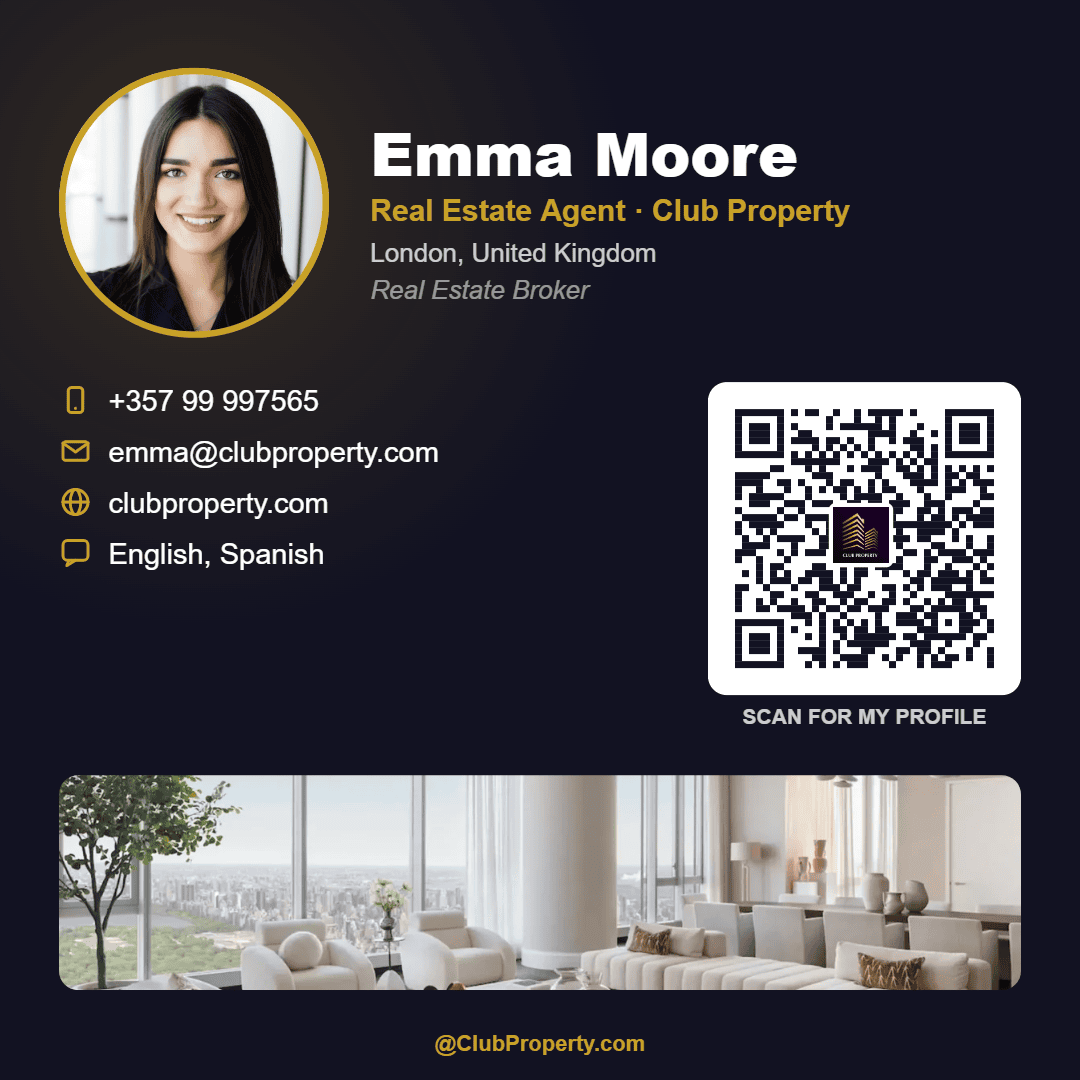
7. Create a QR Code for the Agent’s Profile
Not every QR code needs to be connected to a property.
A real estate agent can also create a QR code that links to their agent profile.
This is particularly useful on:
- Business cards
- Email signatures
- Printed brochures
- Networking materials
- Office displays
- Social media graphics
- Event materials
Instead of printing everything on a business card, the QR code can take someone to the agent’s online profile.
The profile could include:
- Agent photograph
- Biography
- Contact details
- Current listings
- Areas served
- Languages
- Specialisms
- Reviews
- Website
- Social media profiles
This makes a traditional business card interactive.
A person can scan the card and immediately move from a physical introduction to the agent’s online presence.
8. Let People Contact the Agent
Another option is creating a QR code specifically for contact.
For example:
Have a question? Scan to contact the agent.
The destination could provide options such as:
- Call
- Message
- Contact form
- Request a callback
The benefit is convenience.
Someone who is interested in a property does not necessarily want to type an email address or manually enter a telephone number.
A QR code can reduce those steps.
9. Help Agents Generate Seller Leads
QR codes do not have to be used exclusively for buyers.
They can also help agents find property owners who may be thinking about selling.
An agent could create a QR code with a call to action such as:
Thinking about selling? Scan for a free property valuation.
This could appear on:
- Local postcards
- Flyers
- Business cards
- Community advertisements
- Social media images
- Property brochures
- Local sponsorship materials
The scan could lead to a valuation enquiry form.
This turns a QR code into a potential seller-lead generation tool.
For many agents, seller leads are particularly valuable because winning a new listing can generate additional buyer enquiries as well.
10. Build a Buyer Registration Funnel
Agents can also use QR codes to invite buyers to register.
For example:
Looking for a property? Scan to register your requirements.
The buyer could provide:
- Preferred location
- Budget
- Property type
- Number of bedrooms
- Buying timeframe
- Contact information
The agent can then use this information to understand what the buyer is looking for.
A QR code therefore does not have to lead to a single property.
It can become an entry point into the agent’s broader buyer pipeline.
11. Promote Property Alerts
Another interesting use is property alerts.
An agent or property professional could place a QR code on marketing materials with a call to action such as:
Scan to receive new property alerts.
This is particularly useful for buyers who aren’t ready to purchase immediately.
Instead of losing the visitor after they leave the property, the agent has an opportunity to continue the relationship.
The buyer can register their requirements and receive relevant opportunities when they become available.
This changes the purpose of the QR code from simply providing information to building a longer-term relationship.
12. Use QR Codes on Property Brochures
Property brochures are one of the easiest places to add a QR code.
A brochure can include a QR code beside a call to action such as:
View the full property listing
or:
Take the virtual tour
or:
Book a viewing
The printed brochure provides the physical experience.
The QR code provides the digital experience.
This combination is powerful because buyers can take the brochure away with them while still having an instant link to the online property.
13. Use QR Codes in Estate Agent Windows
Estate agent windows are another natural application.
Traditional window displays often contain dozens of property photographs and details.
Adding a QR code to each property advertisement can make the window interactive.
A passer-by can scan the property they are interested in and immediately see more information.
This is especially useful outside office hours.
The office may be closed, but the digital property information remains available.
Instead of:
“I’ll come back tomorrow.”
the potential buyer can take action immediately.
14. Use QR Codes on Business Cards
A real estate agent’s business card has limited space.
It might contain:
- Name
- Agency
- Telephone
- Website
- Social media
- Address
There is not much room left.
A QR code can act as a shortcut to everything else.
For example:
Scan to view my properties and contact me
The QR code could lead to the agent’s ClubProperty profile.
This gives the business card a much longer digital life.
15. Use QR Codes in Print Advertising
Real estate agents still use printed advertising in many markets.
QR codes can make print advertising measurable and interactive.
Consider a property advertisement in a magazine.
The reader sees:
Luxury apartment for sale
along with photographs and basic details.
A QR code can provide:
Scan to view the full property
The reader can immediately move from the printed advertisement to the digital listing.
The same concept works for:
- Newspapers
- Property magazines
- Local publications
- Flyers
- Direct mail
- Postcards
- Property catalogues
16. Use QR Codes for Open-House Information
A QR code can also be used specifically for open houses.
For example:
Scan for today’s viewing information
The destination could provide:
- Date
- Time
- Property details
- Directions
- Agent information
- Registration
- Viewing instructions
This can be useful when open-house signage is placed around a neighbourhood.
17. Use QR Codes for Neighbour Marketing
One of the more interesting real estate strategies is targeting the neighbours of a property.
Neighbours are often potential sellers themselves.
An agent could create a QR code campaign around a recently listed or sold property:
Your neighbour just sold. Find out what your property could be worth.
The QR code can take homeowners to a valuation request page.
This turns successful transactions into marketing opportunities for future listings.
18. QR Codes Can Connect Physical and Digital Marketing
This is perhaps the biggest benefit of QR codes for real estate.
Agents already spend money producing physical marketing.
Signs.
Brochures.
Business cards.
Flyers.
Window cards.
Postcards.
The QR code adds a digital layer to those materials.
The physical marketing gets attention.
The QR code creates the connection.
The online page provides the information.
The contact or booking form creates the opportunity.
In simple terms:
Physical marketing → QR scan → Digital experience → Lead
That is the real value.
How Should a Real Estate Agent Use a QR Code?
Creating a QR code is easy.
The more important question is:
Where should the QR code take the person?
The answer should depend on the purpose of the marketing.
Here are some examples.
For a For Sale sign
Use:
Property listing
or:
Book a viewing
For a property brochure
Use:
Full property details
or:
Virtual tour
For an agent business card
Use:
Agent profile
For an open house
Use:
Register for the viewing
For seller marketing
Use:
Request a property valuation
For buyer marketing
Use:
Register your property requirements
For an estate agent window
Use:
View this property online
The key is to avoid sending every QR-code scan to the same generic homepage.
A person scanning a property sign has a different intention from someone scanning an agent’s business card.
The QR destination should match the reason they are scanning.
What Should Happen After Someone Scans?
The scan is only the beginning.
The destination needs to work well on a mobile phone.
This is particularly important because the person scanning a property sign is likely to be standing outside, walking, or sitting in a car.
The page should therefore be:
- Mobile-friendly
- Fast
- Easy to understand
- Relevant to the QR code
- Simple to navigate
- Focused on one clear action
For a property QR code, the first screen should ideally make the important information obvious.
For example:
€795,000
4 bedrooms | 2 bathrooms | 145 m²
View photos
Book a viewing
A visitor should not have to search through several pages to discover why they scanned the code.
Static vs Dynamic QR Codes for Real Estate
One important consideration for agents is whether the QR code is static or dynamic.
A static QR code generally points directly to a fixed destination.
A dynamic QR code can allow the destination behind the printed code to be changed later.
This distinction can be particularly important in real estate because property information changes.
A property may move from:
For Sale → Under Offer → Sold
The price may change.
The viewing schedule may change.
The virtual-tour link may change.
The listing page may change.
If the QR code is printed on a sign, reprinting the sign every time something changes is inconvenient.
A dynamic approach can allow the destination to be updated without changing the physical QR code.
This is one reason dynamic QR codes are increasingly discussed for real estate signage and printed marketing.
What Happens When the Property Sells?
This is an important question agents should consider before putting QR codes on signs.
Imagine an agent prints 100 signs containing a QR code.
The property sells.
What should happen when someone scans the code afterward?
A poor experience would be a broken link.
A better experience could say:
This property has now been sold.
Then provide options such as:
View similar properties
Contact the agent
See my other listings
Request a valuation
This allows the QR code to continue producing value even after the original property has disappeared from the market.
With a dynamic QR system, the agent can potentially change the destination without replacing the printed QR code.
How ClubProperty Can Help Real Estate Agents Use QR Codes
For ClubProperty, QR codes can be positioned as a simple way for agents to connect their real-world marketing with their online property presence.
An agent does not only operate online.
They meet people.
They attend viewings.
They hand out business cards.
They advertise properties.
They put signs outside homes.
They hold open houses.
They distribute brochures.
QR codes give those physical interactions a direct connection to ClubProperty.
An agent could create QR codes for different purposes, depending on the marketing activity.
ClubProperty QR Code for a Property
An agent can use a QR code to send potential buyers directly to a property.
This is ideal for:
- For Sale signs
- For Rent signs
- Property brochures
- Window displays
- Flyers
- Print advertisements
- Open-house materials
The message can be simple:
Scan to view this property
ClubProperty QR Code for an Agent Profile
An agent can use a QR code to promote their ClubProperty profile.
This works well on:
- Business cards
- Email signatures
- Brochures
- Networking materials
- Social media
- Printed marketing
The message could be:
Scan to view my properties
or:
Scan to contact me
This gives the agent one digital destination for their professional presence.
ClubProperty QR Code for a Viewing
A viewing-focused QR code can be used when the main objective is getting the potential buyer to take the next step.
For example:
Interested? Scan to request a viewing.
This can be especially effective on property signs and brochures because the person scanning has already demonstrated interest.
ClubProperty QR Code for Lead Generation
QR codes can also become a lead-generation tool.
Instead of only showing information, the destination can encourage visitors to make contact.
Examples include:
Request more information
Book a viewing
Contact the agent
Register as a buyer
Request a valuation
The QR code becomes part of the agent’s lead funnel.
A Simple ClubProperty QR Code Strategy for Agents
Agents do not need dozens of QR codes to get started.
A simple strategy could use four.
QR Code 1: Property
Use it on:
- For Sale signs
- Brochures
- Flyers
- Window cards
Call to action:
Scan to view this property
QR Code 2: Agent Profile
Use it on:
- Business cards
- Email signatures
- Networking materials
Call to action:
Scan to view my profile
QR Code 3: Viewing
Use it on:
- Property signs
- Brochures
- Open-house materials
Call to action:
Scan to book a viewing
QR Code 4: Seller Lead
Use it on:
- Postcards
- Local advertising
- Social media
- Neighbour campaigns
Call to action:
Scan to request a property valuation
This gives an agent a simple QR-code toolkit without making the process complicated.
Best Practices for Real Estate QR Codes
A QR code only works if people actually scan it.
There are several simple principles agents should follow.
Give the QR code a reason
Don’t simply put a QR code on a sign without explanation.
Tell people what happens when they scan.
Good examples include:
Scan for photos
Scan for price and details
Scan to book a viewing
Scan for the virtual tour
Scan to contact the agent
A clear call to action is much more useful than simply printing a QR code.
Make the destination relevant
A property QR code should normally lead to that property.
An agent QR code should normally lead to the agent.
A viewing QR code should lead to the viewing process.
Avoid making people search for the information they were expecting.
Make it mobile-friendly
A QR code is almost always scanned using a smartphone.
The destination therefore needs to work properly on mobile.
Large buttons, readable text and fast-loading images are important.
Test every QR code before printing
This sounds obvious, but it is one of the easiest mistakes to make.
Before printing hundreds of brochures or installing a sign, scan the QR code yourself.
Check that:
- The code scans correctly.
- The destination opens.
- The property is correct.
- The page works on mobile.
- Contact buttons work.
- Viewing information is correct.
- The QR code is large enough to scan from its intended distance.
Don’t Make the QR Code the Entire Advertisement
A QR code should complement the marketing, not replace it.
A property sign should still clearly communicate:
FOR SALE
or:
FOR RENT
The QR code should provide the next step.
For example:
FOR SALE
Scan for photos, price & viewing information
[QR CODE]
This makes the purpose immediately clear.
QR Codes Are About Reducing Friction
Ultimately, the biggest benefit of QR codes in real estate is convenience.
A buyer sees a property.
They are interested.
They want more information.
The QR code removes unnecessary steps.
Without a QR code:
See property → Remember address → Search later → Find listing → Contact agent
With a well-designed QR code:
See property → Scan → View property → Contact/book
Every removed step can make the journey easier.
This is particularly relevant because property searches are increasingly mobile, while much real estate marketing remains physical.
QR codes bridge those two environments.
The Future of QR Codes in Real Estate
QR codes are not a replacement for good property marketing, professional photography or a strong real estate agent.
They are a connection layer.
The strongest applications combine QR codes with useful digital experiences.
For example:
For Sale sign + QR code + property listing
Brochure + QR code + virtual tour
Business card + QR code + agent profile
Open house + QR code + registration
Postcard + QR code + valuation request
Property listing + QR code + viewing booking
This makes the QR code part of a larger marketing system.
For agents, the opportunity is to stop thinking about a QR code as simply a black-and-white square printed on a sign.
Instead, think of it as:
A doorway from the physical world into your digital real estate business.
Final Thoughts: Why Every Real Estate Agent Should Consider QR Codes
Real estate marketing happens everywhere.
It happens on websites and property portals, but it also happens on streets, in offices, on business cards, in brochures, at open houses and through printed advertising.
A potential buyer might discover a property at any of those moments.
A QR code gives them an immediate way to continue their journey.
For agents, the possible uses go far beyond displaying a property listing.
QR codes can help agents:
- Showcase properties
- Share photographs
- Provide floor plans
- Promote virtual tours
- Book viewings
- Collect enquiries
- Register open-house visitors
- Promote agent profiles
- Share contact information
- Generate buyer leads
- Generate seller leads
- Promote valuations
- Collect buyer requirements
- Promote property alerts
- Distribute digital brochures
- Connect print advertising with online listings
- Turn physical signs into digital marketing tools
For ClubProperty agents, QR codes can become another practical way to connect their offline marketing with their online property and professional presence.
The most effective approach is simple:
Put the QR code where people already have an opportunity to become interested.
Then give them an obvious reason to scan.
Scan to view the property.
Scan to book a viewing.
Scan to see the virtual tour.
Scan to contact the agent.
Scan to view my properties.
Scan to request a valuation.
The QR code itself is not the marketing strategy.
The experience after the scan is.
When that experience is fast, relevant and useful, a small QR code can turn a traditional real estate sign, brochure or business card into a direct connection between an interested person and a real estate professional.
And that is where QR codes can become much more than a technology feature—they can become a practical part of an agent’s everyday lead-generation strategy.
Related Articles
Panama Property Q4 2026: Inventory at a Nine-Year Low and Prices on the Move
Market outlook · Q4 2026 Panama Property Q4 2026: Inventory at a Nine-Year Low…
Read moreMonaco Property Q4 2026: 2 km², €57,000 a Square Metre and Nowhere to Build
Market outlook · Q4 2026 Monaco Property Q4 2026: 2 km², €57,000 a Square…
Read moreSwiss Property Q4 2026: Zero Rates, Empty Flats and Prices That Won’t Blink
Market outlook · Q4 2026 Swiss Property Q4 2026: Zero Rates, Empty Flats and…
Read moreMultilingual Real Estate Flyer Maker: Create Property Flyers from Your Listing
New on ClubProperty Turn any listing into a beautiful flyer, in any language Create…
Read more